
Run a Shadow Commitments Audit once a month
Some weeks don’t derail because you planned poorly. They derail because you planned around an incomplete picture of your obligations. “Shadow commitments” are the quiet, often unspoken agreements that sit outside your task list and calendar: the follow-up you implied on a call, the “quick review” you said yes to, the renewal you mentally noted but never recorded, the personal obligation that always seems to arrive “unexpectedly.”
A Shadow Commitments Audit is a 30-minute monthly workflow designed to pull those obligations into the light, translate them into concrete tasks, and time-block them before they steal focus midweek. The goal isn’t to create a perfect system. It’s to stop being surprised by your own commitments.
What counts as a shadow commitment
If it consumes time, attention, or decision-making energy, it belongs in the audit—even if it isn’t “work.” Shadow commitments typically fall into a few repeatable categories:
- Soft yeses: “Happy to take a look,” “Send it over,” “I’ll circle back,” said without a scheduled slot.
- Dependency promises: You’re waiting on someone else, but you’re still accountable for the next step.
- Recurring admin: Invoices, budgeting, reporting, access reviews, vendor renewals, compliance check-ins.
- Relationship upkeep: Team 1:1 prep, customer check-ins, partner follow-ups, mentoring, hiring touches.
- Personal logistics: Appointments, travel planning, family commitments, household tasks that reliably take longer than expected.
- Open loops: Notes, meeting transcripts, and “later” ideas that you keep rereading instead of converting into actions.
The audit works because it treats these as real work. Not as background noise you’ll somehow absorb between meetings.
The 30-minute workflow
This is intentionally short. A monthly audit shouldn’t become a half-day “life admin” marathon. Set a timer for 30 minutes, and aim for a usable inventory—not exhaustive perfection.
Minute 0–5: Create one capture surface
Open a blank note titled “Shadow Commitments Audit — [Month]” and keep it visible. The mistake is scattering findings across email drafts, sticky notes, and three different apps. You need a single place to dump what you remember without editing yourself.
If you already work in a combined workspace, this is where a tool like Routine fits naturally: notes for capture, tasks for translation, and a calendar for time blocking in one place. The workflow is simple enough to run anywhere, but it’s faster when capture and scheduling live together.
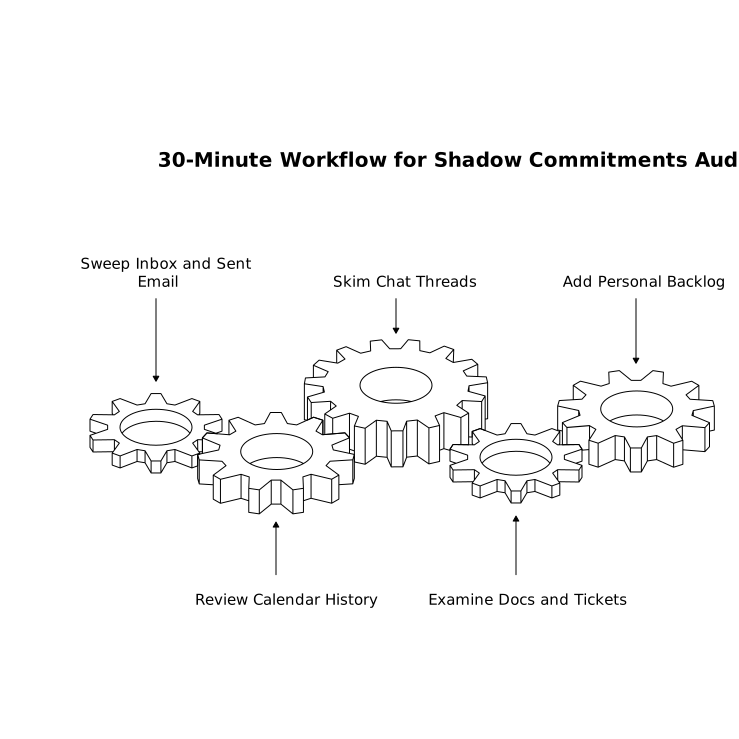
Minute 5–15: Sweep the five obligation zones
Do a fast scan for commitments you’re currently holding. You’re not executing—just collecting. Use these zones as prompts:
- Inbox and sent email: Search for “quick,” “follow up,” “when you get a chance,” “FYI,” and your own “sounds good.”
- Calendar history: Look back 2–3 weeks. Meetings generate obligations. Your calendar is a breadcrumb trail of implied work.
- Chat threads: Skim pinned channels and recent DMs. Shadow commitments love chat because agreement feels informal.
- Docs and tickets: PRDs, spec docs, issue trackers—anything you touched but didn’t close. If you promised a decision, it’s a commitment.
- Personal backlog: The mental list: health, family, travel, finances. Add it without judgment.
Write items as raw obligations, not tasks yet. Example: “Review partner MSA changes,” “Prep QBR narrative,” “Schedule dentist,” “Decide retention approach for meeting notes.” If meeting documentation and compliance are recurring sources of hidden work, formalizing a lightweight approach like a meeting transcript retention policy can reduce the number of surprise decisions you need to make later.
Minute 15–25: Translate obligations into time-blockable tasks
Now convert each obligation into a task that can actually be scheduled. A time-blockable task has three properties: a clear verb, a deliverable, and an estimate.
- Verb: review, draft, decide, send, reconcile, prep, schedule
- Deliverable: “send feedback,” “publish decision,” “confirm date,” “approve invoice”
- Estimate: 10 min, 25 min, 45 min—not “sometime”
When an obligation is fuzzy, split it into two steps: (1) define what “done” means (10–15 min), then (2) do the work. This prevents the common trap of creating a single intimidating task that never gets picked up.
Also tag tasks by type, because not all time is equal:
- Deep work: writing, analysis, strategic decisions
- Shallow work: approvals, scheduling, follow-ups
- Waiting: items that can’t progress until someone responds (still schedule a follow-up trigger)
Minute 25–30: Time-block the commitments before the month blocks you
Pick the next 2–3 weeks and place blocks for the tasks that would cause the most damage if they appeared “out of nowhere.” Prioritize by impact and deadline proximity:
- Hard deadlines: renewals, compliance dates, launches, billing cycles
- Relationship-sensitive work: customer follow-ups, hiring steps, cross-team deliverables
- Decision bottlenecks: approvals or choices that unblock multiple people
Time-blocking is where this audit becomes real. If a commitment matters, it deserves a slot on the calendar—not a vague hope that you’ll “fit it in.” For shallow work, batch it: a 45-minute admin block can absorb five small obligations better than five separate calendar intrusions.
How to keep the audit from becoming another burden
Use a standard template
Reuse the same headings each month: “Email,” “Calendar,” “Chat,” “Docs,” “Personal.” The consistency reduces friction and improves recall.
Limit the output to what you can actually schedule
If your audit creates 60 tasks, it’s not an audit—it’s a confession. Cap your time-blocking to the top 10–15 items. Everything else can go to a backlog, but your calendar should reflect reality.
Keep follow-ups explicit
Any “waiting” commitment gets a follow-up task with a date. Otherwise you’ll re-discover the same shadow commitment next month, unchanged.
Why this works better than weekly planning alone
Weekly planning is tactical: it organizes the work you already see. A Shadow Commitments Audit is strategic: it surfaces the work you’re currently missing. By running it monthly, you catch patterns—recurring obligations, over-commitment zones, and meetings that generate disproportionate hidden tasks—before they accumulate into an unmanageable week.
Over time, the audit also improves how you say yes. When you’ve seen how many “small favors” turn into real calendar time, you start attaching a next step automatically: “Yes—send it by Tuesday, and I’ll review it Thursday 2–2:30.” That single sentence turns a shadow commitment into a visible one.
Make hidden work schedulable work
The point of the Shadow Commitments Audit isn’t to police your obligations. It’s to make them actionable, bounded, and placed where they belong—on the calendar, attached to realistic time. When you convert vague promises into time-blocked tasks, you protect your week not with discipline, but with clarity.