
Export-ready no-code is a scaling strategy, not a feature
Most “vendor lock-in” horror stories don’t start with bad intentions. They start with speed: a founder ships a portal, a marketplace, or an internal tool in a no-code builder, it gains traction, and then the product needs deeper performance tuning, custom authentication, compliance controls, or a new data layer. The uncomfortable moment arrives when the fastest tool becomes the slowest constraint.
An export-ready approach flips the default. Instead of asking “Can this platform launch my MVP?”, you ask “If this app becomes critical, can I own it, host it, extend it, and keep my options open?” Below is a practical checklist you can use before committing to any no-code stack—especially when you already suspect the app will need to scale.
The export-ready no-code checklist
1) Confirm you can export standard code—not a proprietary artifact
“Export” can mean many things. The standard you want is: a codebase your engineering team recognizes immediately, built on common frameworks and conventions, with minimal platform-specific abstractions. Ideally, export produces an app you can run locally, version in Git, test, and deploy in your own infrastructure.
For web apps, that typically means a mainstream frontend framework and a conventional build output. For example, WeWeb explicitly supports exporting a standard Vue.js single-page application, which matters because Vue has a large ecosystem, predictable tooling, and a hiring market that doesn’t depend on the vendor.
2) Ensure hosting is optional and migration is realistic
Lock-in often hides in hosting dependencies: proprietary edge functions, vendor-only routing, or “one-click deploy” that can’t be replicated elsewhere. The question isn’t whether managed hosting is convenient—it usually is. The question is whether managed hosting is your only viable path.
Look for platforms that let you launch quickly on managed infrastructure but still provide a clean exit. A practical sign is clear documentation for self-hosting and an export that does not degrade the app’s capabilities.
3) Separate UI from data so backend swaps don’t become rewrites
Scaling apps change backends. You might start on Airtable, move to Xano, then settle on Postgres via Supabase—or connect to an internal database later. If your frontend is tightly coupled to one data source, migrations become expensive and risky.
A healthier pattern is a front-end layer that treats data as an interchangeable service. Your checklist item: confirm the tool can connect to multiple backends, switch environments (dev/staging/prod), and use external APIs without pushing business logic into the UI layer.
4) Demand real workflow logic, not just linear automation
Many no-code apps fail at scale because workflows were modeled as a simple sequence and then reality arrives: conditional branching, retries, error states, and partial success. You want a builder that supports complex workflows and branching logic with clarity—because debugging will become a daily activity once traffic, payments, and support tickets grow.
This is less about “features” and more about whether workflows remain understandable when the app has 50+ states and multiple roles.
5) Verify authentication and authorization can evolve
Early products often have one role and a simple login. Later you’ll add organizations, permissions, audit trails, and possibly SSO. If your platform’s auth model is simplistic, you end up bolting security on after the fact.
Checklist test: can you implement role-based access control cleanly, handle route-level restrictions, and integrate with external identity providers if needed? The tool doesn’t have to provide every enterprise feature out of the box—but it must not block you from implementing them.
6) Check how design systems and component reuse work
At scale, UI consistency is an operational issue. Without reusable components and a design system, every iteration creates drift and technical debt—only it’s “visual debt.”
Look for support for design systems, reusable components, and the ability to standardize patterns across pages. This becomes even more important when multiple makers contribute or when designers and developers collaborate in parallel.
7) Confirm you can import and maintain custom code components
Export-readiness isn’t only about leaving; it’s also about extending while you stay. Most scaling apps eventually require something bespoke: a charting library configuration, a complex payment step, a custom editor, or a specialized accessibility behavior.
A key checklist point is whether you can import and edit custom coded components directly in the platform, and whether those components remain maintainable over time. If custom code is treated like an exception rather than a first-class citizen, you’ll feel it when requirements tighten.
8) Audit pricing for scaling incentives and cost control
Some platforms are “cheap” until they aren’t—especially if they charge per end user, per seat in production, or per feature tier that you can’t avoid once you reach real usage. Export-ready thinking includes financial portability: if the economics become unfavorable, can you move without a rewrite?
It’s also worth preferring pricing models that don’t penalize success through user-based taxes. WeWeb’s positioning of not charging per app user is notable here, because it avoids a common scaling trap where unit economics get worse as adoption grows.
9) Validate compliance and secure connectivity early
If your roadmap includes regulated data (health, finance, HR), you cannot treat security as a later refactor. Even if you’re not regulated today, large customers will ask about controls, access, and data flows.
Make a concrete checklist: does the platform support secure connections to internal databases, and does it communicate readiness for frameworks like SOC 2, HIPAA, and GDPR when your architecture requires them? You’re not buying a certificate—you’re buying a posture that won’t collapse under due diligence.
10) Test the “handoff” path to engineering
The real lock-in test is organizational: can an engineering team take over without replatforming? Do you have environments, versioning discipline, and clear boundaries between frontend, backend, and automation?
A practical way to assess this is to run a small pilot and require three deliverables: a Git repo with exported code, a documented deployment path, and a list of platform-specific dependencies. If the dependency list is long or unclear, lock-in risk is high.
A pragmatic reference architecture that stays flexible
An export-ready no-code setup often looks like this:
- Frontend: Visual builder with code export and support for custom components.
- Backend: External service (database + API layer) you can change over time.
- Auth: External provider or a backend-managed auth model that can grow into SSO.
- Workflows: Clear branching logic with error handling and observability.
This is where a tool such as weweb.io fits naturally: build quickly with a no-code editor, connect to common backends, extend with custom Vue components, and keep an export path for long-term ownership.
What to document before you ship
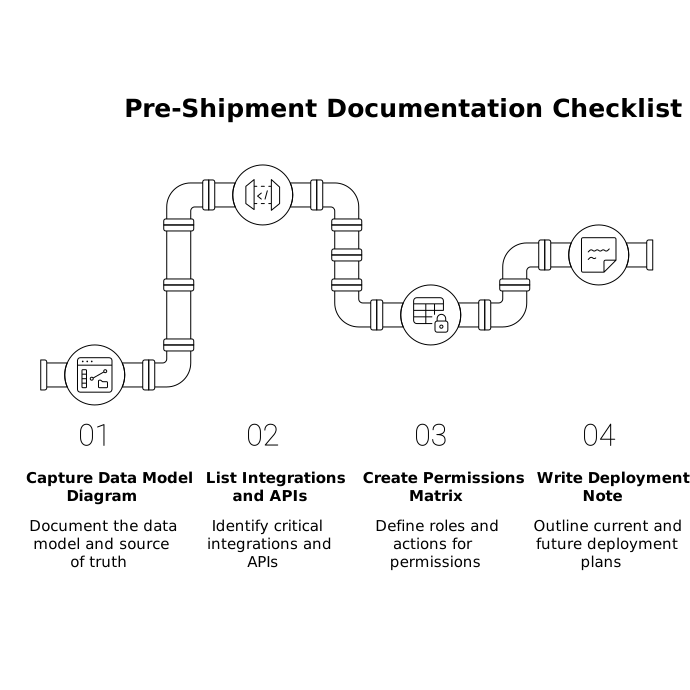
To make the checklist operational, capture these artifacts early:
- A data model diagram and which system is the source of truth.
- A list of integrations and which APIs are critical.
- A permissions matrix (roles × actions).
- A deployment note: managed hosting today, self-host plan tomorrow.
If your team is also scaling decision-making around tooling, the idea of repeatable recommendations can help—similar in spirit to The Consensus Cascade Playbook for Repeatable AI Recommendations, but applied to your stack choices: explicit criteria, weighted trade-offs, and a documented outcome.
The quick pass or fail test
If you only do one thing, do this: attempt a full export and run the app outside the platform. If you can’t, or the exported output is not something your team can reasonably own, treat the platform as a prototype tool—not the foundation of a scaling product.