Design control handoffs like a first-class interaction
Remote pair programming succeeds or fails on tiny moments: the half-second of hesitation before someone asks for control, the accidental scroll that derails focus, the awkward “can you see my cursor?” when both people think they’re driving. A “control handoff” is the act of switching who is typing and steering (the driver) while the other guides thinking and direction (the navigator). When handoffs are clunky, teams avoid swapping—sessions become lopsided, fatigue rises, and knowledge transfer drops.
This playbook treats handoffs as a designed workflow. The goal is frictionless swaps that preserve context, keep psychological safety intact, and maintain flow—especially when pairing across time zones, seniority levels, or unfamiliar codebases.
Common failure modes that create handoff friction
Implicit ownership of the keyboard
In remote settings, “who’s driving” is rarely obvious. If the system doesn’t make control status explicit, people default to politeness and wait—losing momentum and undercutting collaboration.
Micro-delays that break the thread
A two-step process (request control → accept → confirm) sounds fine until it happens 30 times in a session. Each delay is a context switch; together they become a tax on thinking.
Unclear intention during the swap
Handoffs fail when the team swaps the keyboard but not the goal. The new driver starts exploring, the navigator assumes an agreed plan, and the pair diverges.
Sensitive-data anxiety
People hesitate to share control if they worry a notification pops up, a password manager appears, or an internal tool is visible. That hesitation shows up as fewer swaps and more “just tell me what to type.”
The handoff protocol that keeps sessions moving
1) Name the role, not the person
Use language that keeps the interaction lightweight: “I’ll drive for the next change,” or “Can I take driver for two minutes?” It avoids a subtle power dynamic (especially in mentorship or interviews) and turns control into a shared resource.
2) Swap on boundaries, not impulses
The smoothest swaps happen at natural seams:
- After a test fails and the next step is obvious
- After finishing a small refactor
- Before starting a new file or subsystem
- When moving from implementation to verification (or vice versa)
These boundaries reduce the “what did we just do?” reset cost. If a swap must happen mid-stream, the navigator should summarize in one sentence before the swap (more on that below).
3) Use a one-sentence baton pass
Before the swap, the current driver gives a crisp handoff sentence:
- “We’re extracting this method so the parser can be tested without IO.”
- “Next, we’ll add a failing test for the nil case and make the guard explicit.”
- “We’re about to rename this type; watch for call sites in these two folders.”
That single sentence preserves intention. It also makes it easier for the navigator to keep navigating, rather than re-deriving the plan from the code.
4) Make swaps frequent and expected
Teams that swap often make handoffs feel routine instead of disruptive. A simple heuristic works well:
- Swap every 10–15 minutes, or
- Swap after each completed micro-goal (one test added, one function extracted, one query rewritten)
In longer sessions, this cadence distributes cognitive load, reduces fatigue, and produces more symmetrical learning.
UI and tooling choices that make handoffs feel instant
One-click role swapping
If “swap who’s sharing” takes longer than the thought that triggered it, people will avoid swapping. Prioritize tools that make the swap direct: one click, immediate clarity about who is sharing, and no extra negotiation. Tuple’s design is built around this kind of rapid role switching, keeping pairing close to the in-person feel while staying lightweight in day-to-day use. A good reference point is tuple.app, which focuses on low-latency screen sharing, crisp audio, and snappy remote control so the mechanics don’t overshadow the work.
Keyboard-first handoffs for flow states
When developers are “in the tunnel,” reaching for the mouse can be the real interruption. Customizable shortcuts matter because different teams develop different rhythms: some prefer quick swaps; others prefer a “request/approve” moment for safety. The key is that the handoff should be fast enough to be used frequently.
Visual clarity and cursor confidence
Miscommunication often starts with a simple question: “Are you driving?” Tooling should make control status unmistakable. Cursor visibility, clear indicators of who can type, and minimal lag reduce the need for verbal confirmation—especially important when pairing between people who don’t work together daily.
Privacy features that remove hesitation
If people are worried about what appears on screen, they’ll protect themselves by swapping less. Features that let hosts hide sensitive apps and notifications make it easier to hand over control without anxiety. This is also an operational concern: teams often need lightweight policies for what is safe to display in calls, similar in spirit to a retention policy for collaboration artifacts. If you’re already setting rules for AI notes, a related framing is covered in meeting transcript retention policy design.
Team agreements that prevent “control churn”
Define what the navigator does during the swap
Navigator is not “the person waiting.” During a handoff, the navigator should:
- Restate the immediate goal if it’s getting fuzzy
- Watch for regressions and missing edge cases
- Spot naming inconsistencies and accidental complexity
- Keep the session aligned with the ticket’s acceptance criteria
This avoids the trap where swapping just moves the keyboard while the thinking stays with one person.
Use a “parking lot” to protect momentum
Handoffs can trigger side quests (“We should fix that lint rule,” “Let’s upgrade that dependency”). Keep a lightweight parking lot—one line in the PR description, a scratchpad note, or a backlog comment. The driver can keep driving while the navigator captures the tangent without losing it.
Choose the right handoff style for the moment
Not all swaps are equal. Three patterns work well:
- Micro-handoff: 30–90 seconds to implement a tiny step (rename, add a guard, adjust a test). Useful to keep both hands in the code.
- Boundary-handoff: 5–15 minutes at a natural seam (new function, new test suite, new module). Best default.
- Exploration-handoff: One person drives while exploring unfamiliar territory; swap once a plan is formed. Best for debugging or archaeology.
Operationalize the playbook for consistent pairing
Put the protocol in writing
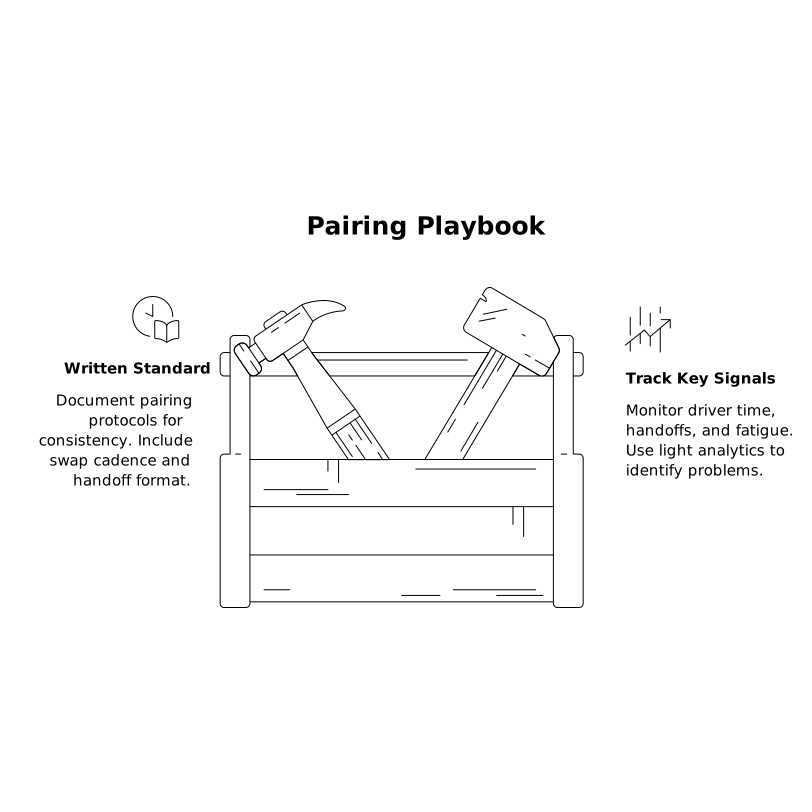
A two-minute written standard is enough. Many teams include it in their engineering handbook: swap cadence, preferred handoff sentence format, and expectations for the navigator. When it’s documented, new hires don’t have to guess how pairing works “here.”
Instrument what matters, lightly
You don’t need heavy analytics, but you can spot issues with a few signals:
- Do sessions have long stretches with one driver?
- Are handoffs avoided during tricky parts (debugging, refactors)?
- Do people report fatigue or “too much talking” after pairing?
Where available, call-event hooks can automate small quality-of-life improvements (muting music, setting a co-author, logging that a pairing session occurred). The trick is to keep automation supportive, not bureaucratic—similar to how an idempotent webhook design prevents operational noise while preserving reliability. If you’re building internal tooling around collaboration, see hardening webhook endpoints with retries and dead-letter queues.
Practice handoffs in low-stakes sessions
The best time to normalize frequent swaps is during routine work: small bug fixes, refactors, and code reviews. Once it’s habitual, the protocol holds up during higher-pressure moments like incidents and interviews.
What “frictionless” feels like in practice
A good control handoff is almost boring: the driver announces the baton pass, the swap happens instantly, and the new driver continues without rehashing. The navigator stays engaged, intent remains clear, and the session keeps its rhythm. When the mechanics are reliable and privacy concerns are addressed, teams swap more often—making pairing not just a way to get code written, but a dependable system for shared understanding.