Run the loop before you “start pairing”
Remote pair programming usually fails in the same quiet ways: a small delay that makes turn-taking feel awkward, a subtle desync that forces constant verbal correction, or input jitter that turns “you drive” into a guessing game. The frustrating part is that teams often discover these problems only after the editor is open, the context has loaded, and momentum is already slipping.
The 3-second “remote pairing loop” test is a micro-benchmark you run before real work begins. It’s not a speed test and it doesn’t try to measure your ISP. It’s a practical check of the full collaboration loop—audio timing, screen update cadence, and remote control responsiveness—under the exact conditions you’re about to code in.
What the 3-second loop measures
Think of a pairing session as a closed control loop:
- Perception: the navigator sees what changed and hears what was said.
- Decision: they decide what to do next.
- Action: they speak, point, or take remote control.
- Feedback: they see and feel the result.
If any one of those steps is delayed or unstable, the loop “rings” like a poorly tuned feedback system: people talk over each other, cursor moves feel slippery, and the driver keeps re-explaining what’s on screen. The loop test is designed to expose that ringing in seconds.
The 3-second remote pairing loop test
Run this at the top of a call—before opening a repo or launching a heavy dev environment. It takes one minute, but each loop is three seconds long.
Loop 1: Audio-to-visual sync (3 seconds)
Goal: verify that what you say matches what your partner sees, with no confusing delay.
- The driver places the cursor on a blank area (desktop, empty editor buffer, or a new text file).
- The driver says “Now” and immediately clicks once (or taps a key that produces a visible change, like inserting a character).
- The navigator answers with “Saw it” the instant the click/character appears.
Pass condition: the navigator’s “Saw it” doesn’t feel like a guess, and the timing feels conversational. Fail signals include the navigator consistently reacting late, or needing to wait for certainty because the video updates in noticeable chunks.
Loop 2: Remote control impulse and settle (3 seconds)
Goal: detect input lag and “settling time” that makes remote control feel mushy.
- Enable remote control for the navigator.
- The navigator performs a quick, deliberate impulse: move the cursor in a small circle and stop, or drag-select a short word and release.
- The driver says “Stop” exactly when the navigator stops their hand movement.
Pass condition: the cursor stops when the navigator stops, and both people agree on where it ended. Fail signals include overshoot (cursor continues after stopping), micro-stutters during the circle, or selection boxes that wobble as if frames are being dropped.
Loop 3: Rapid role swap and continuity (3 seconds)
Goal: ensure the session can handle fast handoffs without cognitive reset.
- Swap who is controlling/sharing (whichever reflects your workflow).
- Immediately repeat a tiny visible action: type three characters, delete them, and stop.
- The other person confirms the final state (“back to blank,” “cursor at line 1,” etc.).
Pass condition: the handoff is frictionless and the state is mutually obvious. Fail signals are those moments where you both pause to ask, “Wait—are you seeing what I’m seeing?” That’s desync surfacing early.
How to interpret failures without overreacting
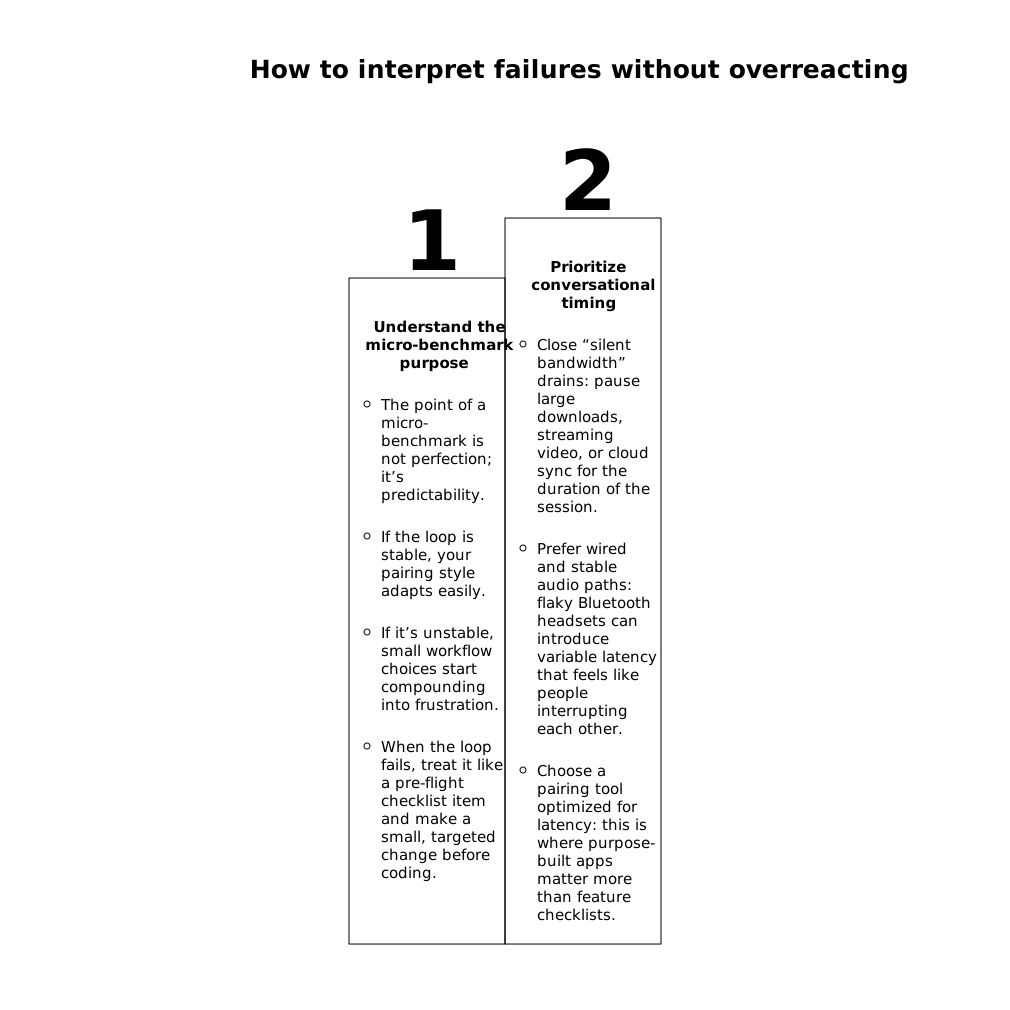
The point of a micro-benchmark is not perfection; it’s predictability. If the loop is stable, your pairing style adapts easily. If it’s unstable, small workflow choices start compounding into frustration. When the loop fails, treat it like a pre-flight checklist item and make a small, targeted change before coding.
If Loop 1 fails: prioritize conversational timing
- Close “silent bandwidth” drains: pause large downloads, streaming video, or cloud sync for the duration of the session.
- Prefer wired and stable audio paths: flaky Bluetooth headsets can introduce variable latency that feels like people interrupting each other.
- Choose a pairing tool optimized for latency: this is where purpose-built apps matter more than feature checklists.
Teams that pair frequently tend to standardize on tools that keep audio crisp and video updates steady under real engineering conditions. Tuple, for example, is built specifically around low-latency screen sharing and snappy remote control, which is exactly what this loop is probing. If you’re evaluating options, tuple.app is a sensible baseline to compare against.
If Loop 2 fails: treat remote control like an input device, not a convenience
- Reduce resolution only if needed: extreme resolution can increase encode/decode load; dropping from a 5K display to a more moderate share can stabilize frames without sacrificing clarity.
- Check CPU pressure: if the sharing machine is compiling, indexing, and encoding simultaneously, cursor motion will show it.
- Set expectations: if control is jittery, switch to a “driver types, navigator points” mode until stability returns.
If Loop 3 fails: fix handoff mechanics, not just “the network”
Desync during handoff is often a workflow issue: multiple monitors, hidden windows, or a confusing “who’s in control” moment. Make handoffs explicit and repeatable. If your team struggles with this regularly, it helps to adopt a consistent protocol for swapping roles and confirming state. The most practical version is a short, rehearsed sequence: announce, swap, confirm. (If you want a deeper pattern library, see this control handoff playbook.)
Make the loop part of your pairing culture
The real value of the 3-second loop is that it removes ambiguity. Instead of starting a session with “Seems a bit laggy today?” you start with a shared observation: “Loop 2 is overshooting; let’s switch to fewer handoffs for 20 minutes,” or “Loop 1 is late—let’s fix audio before we dive in.” Over time, this becomes a lightweight contract between partners: we verify the collaboration loop, then we earn the right to move fast.
Where it fits in a broader reliability mindset
Engineering teams already do this kind of early validation in other domains: smoke tests before deployments, health checks before scaling, and contract tests before integrating services. Pairing quality deserves the same respect because it’s an input to delivery speed. If you’re building internal tooling or no-code frontends and reliability is a recurring theme, the same thinking shows up in idempotency and retry design as well (see reliable event-driven frontends with idempotency keys).
A simple checklist you can paste into your calendar invite
- Loop 1: say “Now,” click/type once, confirm when it appears.
- Loop 2: remote-control circle/drag, stop, verify no overshoot or stutter.
- Loop 3: swap roles, type/delete three chars, confirm final state.
That’s it. Three loops, three seconds each, and you’ll know whether you’re about to pair smoothly—or spend the first 20 minutes fighting the medium.