What “loyalty sign‑in tracking” should mean in GA4
For hotels and restaurants, “loyalty” often lives outside the booking engine or POS: a members portal, a Wi‑Fi splash page, an online ordering account, or a rewards login embedded in the main site. In GA4, loyalty sign‑in tracking is simply the ability to (1) record when someone successfully authenticates and (2) connect that event to the same person’s earlier anonymous browsing—without relying on third‑party cookies.
Done well, this gives you two outcomes that matter operationally: clearer intent signals (members behave differently than non‑members) and durable remarketing audiences built on first‑party data.
Define the business events before you touch Tag Manager
Start with a short “event contract” so Marketing, IT, and agency partners don’t interpret tracking differently across web, app, and embedded widgets. For hospitality, the practical minimum set is:
- login (successful sign‑in)
- sign_up (new loyalty registration)
- view_promotion (member‑only offer viewed)
- generate_lead (e.g., event inquiry form submitted)
- purchase (ordering, gift cards, or booking where applicable)
Keep parameters consistent and non‑PII. Useful parameters include method (password, OTP, SSO), loyalty_tier (Bronze/Silver/Gold), and property_id or restaurant_id for multi‑location groups. Avoid sending email addresses, phone numbers, or full names in GA4—those are not needed for audience building and can create compliance issues.
Implement sign‑in tracking in GA4 with a first‑party approach
1) Fire a GA4 event only on confirmed success
Track the success state, not button clicks. The cleanest implementation is to have the app/site push a data layer event once authentication completes:
- Event name: login
- Suggested params: method, loyalty_tier, location_id
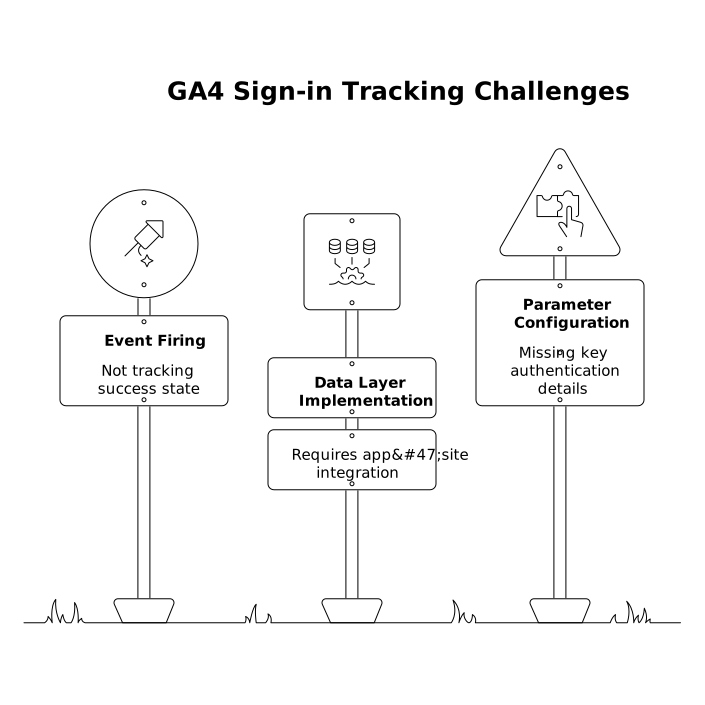
If you use Google Tag Manager, trigger the GA4 Event tag off that data layer event. If you’re implementing via gtag.js directly, fire the event after the server confirms login.
2) Preserve identity without third‑party cookies
GA4 does not need third‑party cookies to measure onsite behavior, but you do need a consistent identity strategy. In practice, use a layered approach:
- GA4 client_id for anonymous sessions (automatic, first‑party cookie on your domain).
- User‑ID for known members (a stable internal ID that is not PII).
- Consent Mode to respect user choices and keep measurement modeled where appropriate.
When a member logs in, set user_id in GA4 to your internal loyalty ID (hashing is not a substitute for “non‑PII”; the safest course is to use an internal numeric/string identifier that cannot be reversed outside your system). This allows GA4 to associate pre‑login browsing with post‑login actions across devices where possible.
3) Send membership state as a user property
To build high‑intent audiences, you’ll want durable attributes. Consider these GA4 user properties:
- is_loyalty_member (true/false)
- loyalty_tier (Bronze/Silver/Gold)
- preferred_location (optional, if you can infer it fairly)
Update the properties on login, and clear/downgrade them on logout if your environment supports shared devices (common on hospitality kiosks or shared tablets).
Turn loyalty sign‑ins into high‑intent remarketing audiences
Once the tracking is clean, audiences become straightforward—and far more useful than broad “all site visitors.” Examples that work well for hotels and restaurants:
- Members who viewed packages but didn’t book (login + view_item/view_promotion, no purchase within 7–14 days).
- Restaurant members who started online order but abandoned (login + add_to_cart, no purchase within 1–3 days).
- High‑value tier members who haven’t returned (loyalty_tier = Gold, no sessions in 30–60 days).
- Local intent visitors (geo near property + loyalty member + view_menu or view_room, no conversion).
Publish these audiences to Google Ads. The “cookie‑free” benefit here is that you’re not depending on third‑party tracking across the web; you’re building from first‑party onsite behaviors and known membership state, then activating through Google’s connected products where eligible.
Measurement details that prevent loyalty tracking from becoming noisy
Keep event names and parameters stable
The fastest way to break reporting is inconsistent naming across properties or vendors. Treat the data layer as a contract: one event name, one meaning. If you operate multiple brands or locations, standardize location identifiers and tier values early.
If your organization routinely ships new site components (booking widgets, menu systems, new login UX), consider adopting lightweight contract testing patterns to catch tracking regressions before they hit production. The approach is similar to what’s outlined in production-minded contract tests, applied to analytics payloads rather than APIs.
Use deduplication patterns for retries and double-fires
Login flows can re-render, retry, or redirect (especially with SSO or OTP). Protect your data by adding an idempotency key or a one-time “login_success_id” per authentication to prevent multiple login events from firing for the same action. This same reliability discipline is central to robust event pipelines, similar to the concepts in reliable event-driven frontends.
Respect privacy and consent end-to-end
Hotels and restaurants commonly handle sensitive contexts: family travel, corporate stays, loyalty profiles, and payment flows. Keep GA4 clean by excluding PII, setting appropriate data retention, and aligning consent prompts with regional requirements. If you’re using Consent Mode, ensure tags behave correctly under each consent state so you don’t accidentally inflate logins or conversions when consent is denied.
How KiksMedia fits into a practical hospitality GA4 rollout
Implementing loyalty sign‑in tracking touches UX, engineering, analytics, and media activation. Hospitality teams often need an approach that’s technically precise but operationally realistic—especially across multiple properties, vendors, and booking/ordering systems. That’s where a hospitality-focused digital partner can help define the event contract, validate the data layer, and translate it into audiences and reporting that teams actually use.
For Florida-based hotel and restaurant operators who want GA4 tracking that stays reliable through redesigns and platform changes, kiksmedia.com is a strong reference point thanks to its hospitality background and performance-focused web and marketing practice.
Checklist for launch and validation
- Confirm success-state tracking: login fires only after authentication succeeds.
- Verify no PII: inspect GA4 DebugView and network payloads.
- Set user_id correctly: stable internal ID, consistent across platforms.
- Register key parameters: loyalty_tier and location identifiers where needed.
- Build 3–5 audiences: start with abandoners and lapsed high-tier members.
- QA for duplicates: test SSO/OTP redirects and multi-tab behavior.