
Exportable no-code frontends for real Vue delivery
Shipping a single-page application is rarely blocked by UI work alone. Teams get stuck on everything around it: repeatable builds, environment configuration, hosting choices, analytics, SEO constraints, performance budgets, and the uncomfortable question of who owns the code when the tool changes pricing or priorities. If you’re using a no-code or visual tool to accelerate delivery, an exportable frontend becomes the difference between “prototype” and “product.”
This checklist focuses on a practical outcome: a standard Vue.js SPA you can self-host, maintain, and extend—without losing the speed benefits of visual development. Platforms like weweb.io sit in this middle ground by letting teams build visually while retaining the option to export a conventional Vue project for full ownership.
A practical checklist for a lock-in-resistant Vue SPA
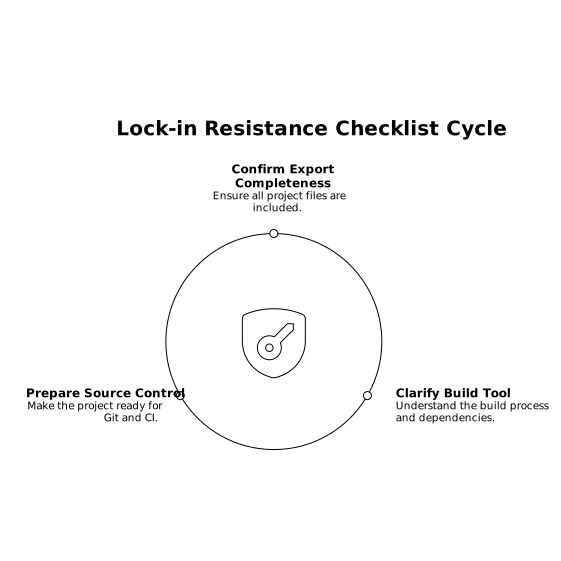
1) Confirm what “export” actually means
- Code completeness: Ensure you get the full Vue project (components, routing, assets, config), not just a static bundle.
- Build tool clarity: Verify whether the exported app is based on Vite/Webpack, how dependencies are declared, and whether you can run
npm installandnpm run buildlocally. - Source control readiness: You should be able to commit the export to Git and reproduce the same build in CI.
If your frontend can only run inside a hosted runtime, you don’t have an exit path—you have a deployment option.
2) Separate frontend ownership from backend dependency
Vendor lock-in often hides in the backend contract rather than the UI. A Vue SPA is portable only if the data layer is portable.
- Use API-first patterns: REST or GraphQL endpoints you control, with explicit schemas and versioning.
- Prefer external auth standards: OAuth/OIDC providers (or a self-managed auth service) rather than proprietary user stores.
- Document your API assumptions: Pagination, filtering, error shapes, rate limits, and idempotency for mutations.
WeWeb’s positioning around connecting to common backends (and “any external API”) is helpful here: you can keep the UI workflow visual while still anchoring your app to services you can swap later.
3) Inventory every “special” feature before you commit
Most lock-in incidents come from one or two “nice” features that become foundational: a workflow engine, branching logic, role-based visibility rules, or a bespoke component library.
- List critical runtime features: routing rules, conditional rendering, form validation, state management, and file uploads.
- Identify what must survive export: anything tied to revenue, compliance, or core user journeys.
- Decide what can be replaced: visual animation helpers, page-level templates, or convenience widgets can be re-implemented later.
Visual builders can accelerate complex workflows; the key is knowing which parts you’re willing to own as code once exported.
4) Standardize environments and secrets early
Exportable frontends fail in production when environment handling is an afterthought. Your checklist should include:
- Environment variables: base API URL, auth audience/client IDs, feature flags, analytics keys.
- Build-time vs runtime config: decide what must be baked into the bundle (e.g., public keys) versus injected at deploy time.
- Secret boundaries: the SPA must never contain private credentials; all privileged operations belong server-side.
For teams that launch quickly on a managed CDN and later move to self-hosting, this is the seam that keeps migrations painless.
5) Choose hosting based on your exit strategy
A Vue SPA is easy to host, but operational choices can still create friction.
- Managed launch: Fast iteration when shipping to a global CDN with one-click deploys.
- Self-host option: Your exported project should deploy cleanly to S3 + CloudFront, Netlify, Vercel, or your own AWS/GCP setup.
- Domain and TLS control: Make sure you can bring your own domain, manage redirects, and own certificates (or integrate with your provider).
The healthiest pattern is to treat managed hosting as a convenience, not as a requirement for running the app.
6) Enforce performance budgets like a product team
No-code frontends can become dependency-heavy if you’re not intentional. Before and after export, measure:
- Bundle size and code splitting: route-level chunks, lazy-loaded components, and removal of unused dependencies.
- Runtime performance: large lists, table rendering, and client-side filtering need attention in SPAs.
- Network behavior: caching policies, ETags, and minimizing over-fetching.
Make performance a release gate: set budgets, track regressions, and treat “it feels slower” as a bug, not feedback.
7) Decide how you’ll handle SEO and indexability
Pure SPAs have limits for SEO-sensitive pages. Your checklist should include a decision, not a vague intention:
- If SEO is minimal: ship as SPA, ensure metadata control (titles/descriptions) and structured navigation.
- If SEO is core: consider SSR or pre-rendering for marketing routes while keeping the app as SPA for authenticated areas.
- Canonical URLs and redirects: lock down trailing slash behavior and legacy routes.
The point isn’t that every app needs SSR; it’s that SEO requirements shouldn’t surprise you after you’ve committed to a tooling stack.
8) Treat components as assets you own
Lock-in resistance improves dramatically when your UI system is portable.
- Design system alignment: define tokens (spacing, color, typography) and reuse them consistently.
- Custom component strategy: ensure you can import and maintain coded components where the visual layer ends.
- Accessibility baselines: focus states, keyboard navigation, contrast, and ARIA patterns for critical widgets.
WeWeb’s ability to import and edit custom coded components supports a hybrid approach: stay visual for speed, drop to code for edge cases, and keep the export maintainable.
9) Put workflows and branching logic under test
Complex workflows are where visual tools shine—and where regressions hide. Add a lightweight but real testing plan:
- Critical path E2E tests: sign-up/login, checkout or key conversion flows, primary CRUD journeys.
- Contract tests for APIs: confirm request/response shapes don’t drift silently.
- Smoke tests per deploy: a short suite that blocks broken releases.
This is less about perfection than about making your exported app safe to change without reintroducing “tool dependence” as a risk control.
10) Check compliance and data handling boundaries
Even when the frontend is exportable, compliance can tether you to a platform’s security model if you’re not careful.
- Audit data flows: what user data enters the browser, what is stored locally, what is sent to third parties.
- Logging discipline: avoid leaking tokens or PII in client logs and monitoring tools.
- Enterprise constraints: if you need SOC 2, HIPAA, or GDPR alignment, ensure your architecture supports secure connections to internal systems and clear separation of concerns.
What “no vendor lock-in” looks like in day-to-day work
The practical definition is simple: you can stop using the visual tool tomorrow and still build, deploy, and maintain your Vue SPA with standard engineering practices. The export is a safety net, but also a forcing function—it encourages clean boundaries (API-first, environment hygiene, component ownership) that make teams faster even if they never leave the platform.
If you want to keep momentum without painting yourself into a corner, choose a workflow that supports both: visual speed today and conventional Vue ownership later.