Why measure inbox placement indirectly
Most teams evaluate deliverability with what their ESP reports (sent, delivered, opened, clicked) and what inbox tools report (seed-list inbox placement). Those signals are useful, but they miss two realities: first, many environments suppress opens or strip tracking pixels; second, spam filtering often changes user behavior before it changes your “delivered” rate. If a campaign quietly starts landing in Promotions or Spam, you may still see normal “delivered” counts while downstream outcomes (demo requests, pricing visits, docs reads) deteriorate.
An indirect approach treats your landing pages as the observable surface area. If recipients truly see and trust the email, they behave predictably once they arrive. If they don’t, you’ll detect the shift by comparing traffic patterns between carefully constructed cohorts—without cookies, persistent IDs, or cross-device tracking.
The core idea: cookieless landing-page cohorts
A “cookieless cohort” is a group you can identify using only first-party, non-identifying request context and campaign metadata. In practice, you create stable campaign labels in your email links (UTMs or equivalent), then analyze aggregated landing-page behavior by cohort. You are not trying to reconstruct a person-level journey; you are looking for cohort-level anomalies that align with mail filtering, clipping, and security scanners.
This method works best when each send has consistent link structure, a dedicated landing path, and enough volume to see statistical movement. It is also compatible with privacy-first analytics because the point is trends, not individual attribution.
Instrumentation that stays privacy-first
Use campaign parameters that survive forwarding and clients
Email clients and corporate gateways are inconsistent about preserving headers and referrers. Query parameters are the most durable. Keep them simple: campaign name, source, medium, and optionally a send identifier that represents a batch, not a person. Avoid embedding email addresses or user IDs in URLs.
On the landing page, track only aggregate events: pageviews, scroll depth, outbound clicks, form submits, and key navigation steps. A lightweight, cookieless analytics layer is ideal here because you need performance and clean data more than granular identity. Plausible Analytics is designed for this style of measurement—simple dashboarding, codeless goals, and bot filtering—without cookies or personal data collection, which aligns with the constraints of inbox-placement diagnostics. The simplest reference implementation is to track the landing page and one or two conversion events with plausible.io.
Define “expected” landing behavior per email type
Not every email produces the same on-site signature. A product announcement may yield high scroll and outbound docs clicks; a webinar invite may yield shorter sessions but higher form starts. Create baselines per template category so you can spot when a deliverability issue is masquerading as “content performance.”
Detecting spam filtering with cohort deltas
Spam filtering often expresses itself as a distribution shift: fewer human clicks from the same list segment, fewer deep-page transitions, and an increase in low-intent landings (quick bounces, minimal scroll, no secondary navigation). Your cohorts should let you compare:
- Time-series within the same segment (e.g., weekly newsletter to existing customers).
- Parallel sends (e.g., Gmail-heavy vs Microsoft-heavy domains).
- Template changes (same audience, different “From” name, subject style, or link density).
If DMARC, SPF, and DKIM pass but these deltas appear abruptly, it’s often a reputation or warmup-signal problem rather than authentication. A deeper explanation of why “pass” doesn’t guarantee inboxing is covered in Why DMARC Pass Still Sends Email to Spam and How Warmup Signals Restore Trust.
Metrics that are especially diagnostic
- Human-quality conversion rate per cohort: conversions divided by landing sessions. If “delivered” remains stable but this drops sharply, filtering is a prime suspect.
- Scroll-depth distribution: if the 50% and 90% scroll cohorts collapse, the traffic may be scanner-driven or low-intent from poor placement.
- Second-page rate: proportion of sessions that navigate beyond the landing page. Spam placement tends to reduce exploratory behavior.
- Latency to first hit: a spike in near-instant hits immediately after send can indicate automated link scanning, especially when paired with low scroll and no conversions.
Separating link-scanner traffic from real recipients
Corporate security tooling often “clicks” links to detonate them in a sandbox. That can pollute click-based KPIs, create false spikes, and even trigger one-time links or gated assets.
Cookieless cohorts help because scanners leave a different footprint than humans at the aggregate level:
- Single-page bursts with very low scroll and no meaningful events.
- Odd user agents or missing client hints (depending on your server logs).
- Repeated hits across many links in a short window, sometimes sequentially.
- Geography mismatches (e.g., a global audience but traffic appears concentrated in a few data-center regions).
Use your analytics tool’s built-in bot and referrer-spam filtering where available, then validate with server-side aggregates (counts per minute, top paths, top IP ranges). The goal isn’t perfect exclusion; it’s stable identification of “scanner-like” patterns so you can interpret cohorts correctly.
Understanding clipping and rendering effects via landing cohorts
Email clipping (common when messages exceed client size thresholds) doesn’t just hide content—it can hide critical calls to action or the section where trust is established. That can reduce meaningful clicks even when inbox placement is fine.
You can’t observe clipping directly from the landing page, but you can infer it when:
- A template change increases HTML weight and link count, and the cohort shows fewer deep clicks despite similar opens (where opens exist).
- The drop is strongest on clients known to clip more aggressively, visible through domain cohorts (e.g., Gmail-heavy segments) or send variants.
- Click distribution shifts toward the very first link(s) in the email, suggesting later CTAs are not seen.
To operationalize this, maintain a “template fingerprint” log per send: approximate HTML size, number of links, and CTA positions. When your landing cohorts diverge, you can correlate the divergence to structural changes instead of guessing about copy.
Designing cohorts that remain stable without identifiers
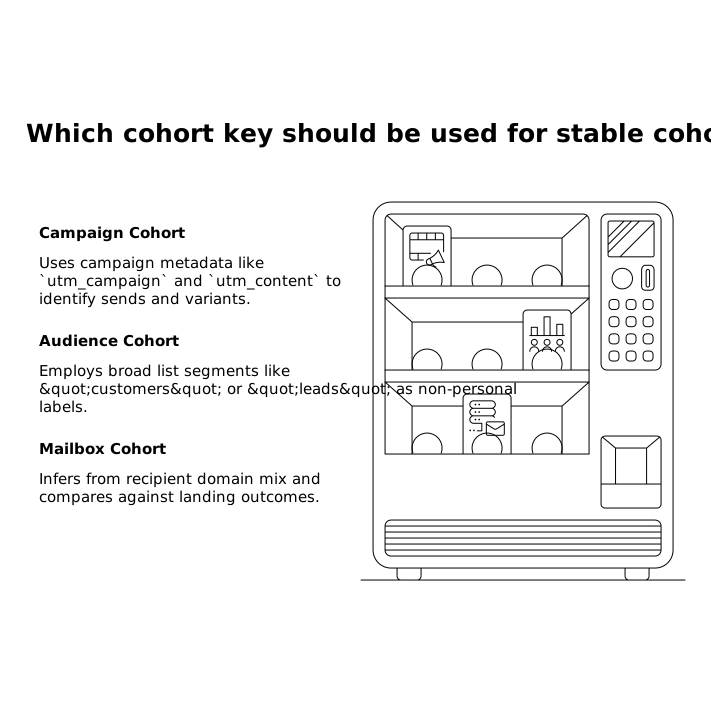
The most practical cohort keys are based on campaign metadata and domain-level segmentation rather than individuals:
- Campaign cohort: utm_campaign and utm_content representing the send and variant.
- Audience cohort: broad list segment (customers, trial users, leads) encoded as a non-personal label.
- Mailbox cohort: inferred from recipient domain mix (maintained in your ESP) and compared against landing outcomes by send.
If you want attribution that stays cookieless over longer B2B cycles, structure your first-party events so they connect marketing touchpoints to downstream CRM outcomes in aggregate rather than per-user tracking. A practical pattern is outlined in Cчастe Cookie-Free Conversion Attribution for B2B Sales Cycles Using First-Party Events, which complements the cohort method without reintroducing persistent identifiers.
Operational playbook: interpreting anomalies
When you suspect spam placement
- Confirm authentication is still passing (but treat it as necessary, not sufficient).
- Compare cohort conversion and second-page rate against the last 3–5 sends of the same type.
- Check whether the impact is concentrated in specific mailbox mixes.
- Look for concurrent changes in From name, Reply-To alignment, or sending patterns—misalignment can undermine warmup signals and shift placement.
When you suspect link scanning
- Look for immediate post-send traffic spikes with low engagement.
- Compare “click-like” landing sessions against conversion events; scanners inflate the former but not the latter.
- Validate with server aggregates and apply conservative bot filtering.
When you suspect clipping or rendering
- Correlate cohort drops to template weight and CTA position changes.
- Run an A/B variant with a shorter template and a single primary CTA to see if deep engagement returns.
- Keep landing pages consistent so the on-site signature isolates email-side changes.
What you gain from this approach
Cookieless landing-page cohorts won’t tell you “this exact message is in Spam for this exact person.” What they do provide is an early-warning system that is resilient to open suppression, respects privacy constraints, and highlights whether your email program is losing trust, being distorted by scanners, or suffering from template-level deliverability side effects. When combined with disciplined campaign labeling and a privacy-first analytics stack, it becomes a practical way to measure deliverability where it ultimately matters: downstream behavior.