
Build local landing pages that win “near me” searches
When a traveler searches “hotel near me” or a diner types “pizza near me,” Google is making a fast judgment about proximity, relevance, and trust. Multi-location brands often lose that moment because their websites collapse every property or store into a single generic “Locations” page, leaving search engines (and humans) to do the hard work of figuring out what’s actually nearby.
A local landing page blueprint fixes that. It gives each location a page that can rank, convert, and support your map visibility—without creating thin, repetitive content. Teams with deep hospitality experience tend to execute this best because they understand that a “location” is not an address; it’s a set of promises: amenities, parking realities, check-in patterns, seasonal demand, and what guests do before and after they arrive. That’s the lens we use below, informed by the hospitality-first approach at kiksmedia.com.
A step-by-step blueprint for restaurant and hotel location pages
Step 1: Decide what a “location page” is responsible for
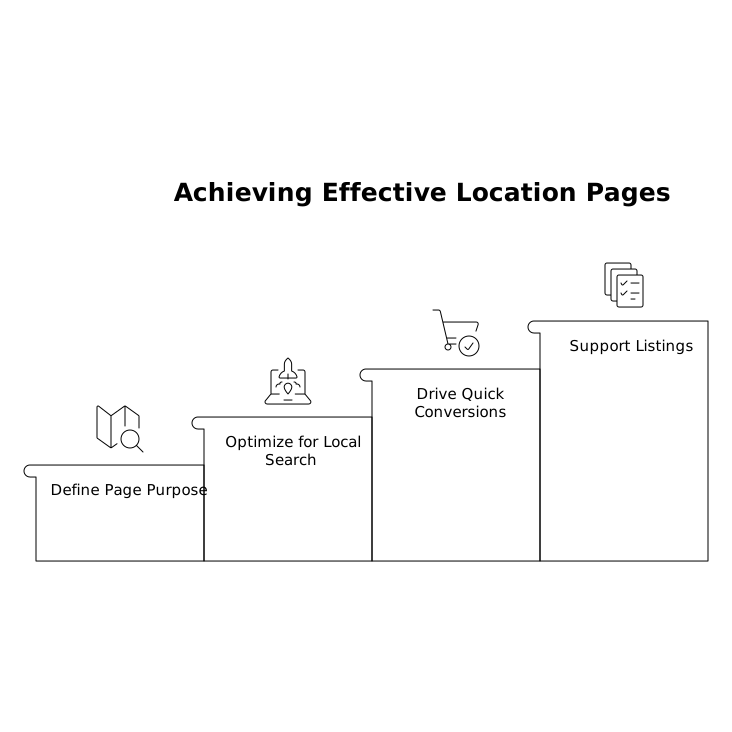
Before templates, align on outcomes. A strong local page should do three jobs:
- Rank locally for brand + neighborhood and service + neighborhood queries.
- Convert quickly with the next action (reserve, order, book, call, directions).
- Support listings by reinforcing NAP consistency and matching what’s in Google Business Profile/Bing Places.
This scope prevents two common failures: pages that read like brochures (nice but unfindable) and pages that are SEO-only (findable but untrustworthy).
Step 2: Use a URL structure that scales cleanly
For multi-location brands, consistency matters more than cleverness. A durable pattern is:
- /locations/city/location-name/ (preferred when multiple locations exist in the same city)
- /locations/city/ (optional city hub for brands with many properties or stores)
Avoid mixing formats like /store-123 for some pages and /miami for others. Search engines interpret stable structures as a sign of a well-maintained entity set.
Step 3: Nail the page essentials above the fold
Local search traffic is impatient, especially on mobile. Make the first screen do the work:
- Location name (brand + neighborhood, not just “Brand – Location”) in a clear headline.
- Primary CTA that matches intent (Book a room, Reserve a table, Order pickup, Call).
- Address + hours in plain text (not only embedded in an image).
- Tap-to-call and Directions buttons.
- A short “why here” snippet: one to two sentences about who this location serves best.
If you add nothing else, add clarity. “Near me” searchers want confirmation that they’re not about to waste a trip.
Step 4: Write unique local copy that isn’t fluffy
Most location pages fail because the copy is duplicated or padded with generic claims. Instead, write 250–450 words of content that is unmistakably local:
- Landmarks and access: “two blocks from the convention center,” “off I‑4 near International Drive,” “walkable to the waterfront.”
- Practical details: parking, valet, elevator access, pet policy, late-night service, delivery radius.
- Guest intent: business travelers, families, pre-theater dining, beach weekends, airport layovers.
Use natural phrasing; you’re writing for humans first. The SEO benefit comes from specificity that mirrors how people talk about places.
Step 5: Add structured data that matches reality
Schema won’t rescue a weak page, but it can reduce ambiguity. Use relevant structured data:
- LocalBusiness (or a more specific subtype when appropriate)
- Restaurant for dining locations (with menu URL, servesCuisine, priceRange if accurate)
- Hotel for properties (with check-in/out times if you publish them consistently)
Keep it honest and aligned with what’s shown on the page and in your listings. Mismatches can erode trust signals over time.
Step 6: Build a media section that supports “place” signals
Photos are not decoration in hospitality—they’re evidence. Include:
- Exterior and entrance shots (helps guests recognize the building).
- Signature interior (dining room, lobby, pool, rooms).
- Local context (nearby landmarks or the street view feel).
If you have the capability, immersive map-friendly visuals can improve engagement and reduce uncertainty, especially for travelers booking from afar.
Step 7: Make reviews and FAQs location-specific
Don’t paste corporate testimonials onto every page. Pull in reviews that clearly reference the specific property or store, and answer questions that actually vary by location:
- “Do you validate parking at this address?”
- “Is this location open after 10 pm?”
- “Is the pool heated year-round at this property?”
These details help conversion and can reduce “pogo-sticking” back to results, a behavior that can correlate with weaker performance in competitive local packs.
Step 8: Create internal links that strengthen the location cluster
Local landing pages should not be isolated endpoints. Connect them thoughtfully:
- From the main navigation: a Locations entry that is easy on mobile.
- From a city hub page to each neighborhood location (and back).
- From service pages (catering, events, weddings) to relevant locations.
When you expand location sets, technical details like consistent indexing and discoverability matter; a practical way to think about this is the same way you’d think about managing crawl priorities across a growing site. If you want a deeper technical framing, see the internal guide on crawl budget and site understanding.
Step 9: Prevent duplicates and “near me” cannibalization
Multi-location brands often create accidental duplicates: print-friendly pages, tracking-parameter variants, and “nearby” pages that overlap heavily. To keep search engines confident:
- Ensure each location has one canonical URL.
- Avoid creating near-identical “service-area” pages unless you can truly differentiate them.
- Use unique title tags and meta descriptions that reflect the neighborhood and primary offering.
This is the difference between “we have many locations” and “we have many pages.” Google rewards the first and devalues the second.
Step 10: Measure the right signals per location
A blueprint is only useful if you can see which locations are gaining ground. Track:
- Organic sessions and conversions per location URL.
- Calls, direction clicks, and booking starts from mobile.
- Local pack visibility for priority queries by neighborhood.
- Page speed and Core Web Vitals (location pages are often image-heavy).
Operationally, treat location pages like living assets—hours change, parking changes, menus change, amenities change. A lightweight review cadence keeps them credible and prevents slow decay.
What this blueprint looks like in practice for hospitality brands
For hotels, the differentiators are typically access, room types, amenities, parking, and nearby demand drivers (convention center, theme parks, airports). For restaurants, it’s often hours, ordering options, delivery boundaries, dietary accommodations, and “what to expect” cues like patio seating or noise level.
The common thread: each location page should read as if a local manager reviewed it for accuracy. That level of specificity is exactly what makes “near me” traffic stick—and what helps a multi-location brand avoid losing searches to directories and aggregators.
Vertical Video