
DMARC passing isn’t the same as being trusted
It’s a frustrating moment: your domain is set up “correctly,” SPF and DKIM both align, DMARC shows a clean pass—and yet your emails keep landing in spam or Promotions. This is the “authenticated but untrusted” problem. Authentication proves an email is allowed to claim a domain. It does not prove that the sender is a good actor, that recipients want the mail, or that the sending pattern looks safe.
Mailbox providers treat authentication as table stakes. Once a message is authenticated, filtering shifts to trust signals: reputation, engagement, complaint rates, list hygiene, and behavioral patterns. In practice, DMARC pass is often the starting line, not the finish.
What DMARC actually tells inbox providers
DMARC is a policy framework built on SPF and DKIM. If a message passes DMARC, it generally means the “From” domain aligns with either SPF or DKIM (depending on your setup) and the message wasn’t obviously spoofed. That’s valuable—but narrow.
DMARC does not validate that:
- your sending IP or domain has a positive reputation,
- your recipients engage with your emails,
- your list was collected responsibly,
- your sending cadence is stable and expected,
- your content and links are low risk,
- your complaint and bounce rates are acceptable.
So a DMARC pass can coexist with every signal that says “this looks like a new, risky, or unwanted sender.” That’s how authenticated mail still gets filtered.
Why “authenticated but untrusted” happens in the real world
1) New or cold domain reputation
A freshly configured domain (or a domain that hasn’t sent much mail) has little historical data. Providers will often apply more cautious filtering until they see consistent, low-risk behavior. This is especially common for outbound sales, partnerships, and recruiting—categories that overlap with abuse patterns.
2) Sudden volume changes or uneven cadence
Reputation models are sensitive to spikes. Going from a few emails a day to hundreds can look like a compromised account, a purchased list, or a campaign launched without consent. Even if the recipients are legitimate, the pattern alone can trigger filtering.
3) Weak engagement signals
Inbox providers measure what recipients do with your mail. Low opens, no replies, few “move to inbox” actions, and lots of deletes without reading all reduce confidence. If the system sees “people don’t seem to want this,” it will protect users by placing more mail in spam.
4) Hidden negatives like complaints, bounces, and spam traps
Authentication won’t save you from a poor list. Hard bounces, repeated sends to inactive inboxes, and spam complaints are among the fastest ways to lose trust. Even one campaign to an outdated segment can create a reputation dip that takes weeks to repair.
5) Content and link risk
Filters evaluate language patterns, formatting, link reputation, URL shorteners, mismatch between display text and destination, and whether the domain ecosystem resembles known abusive infrastructure. This is another area where “technically valid” can still be “high risk.”
The warmup signals that rebuild trust
If authentication is identity, warmup is credibility. Warmup is the structured process of gradually building sender reputation through consistent sending patterns and positive engagement signals. The goal isn’t to game filters; it’s to generate the same kinds of recipient behaviors providers associate with legitimate mail.
High-value warmup signals typically include:
- Opens and read time: indicates recipients actually consume the message.
- Replies and threaded conversations: one of the strongest signals that communication is wanted.
- Moving messages out of spam: “spam recovery” actions can directly counter negative placement.
- Star/flag/archive behavior: subtle but consistent engagement patterns support trust.
- Stable cadence and gradual volume increases: reduces anomaly risk.
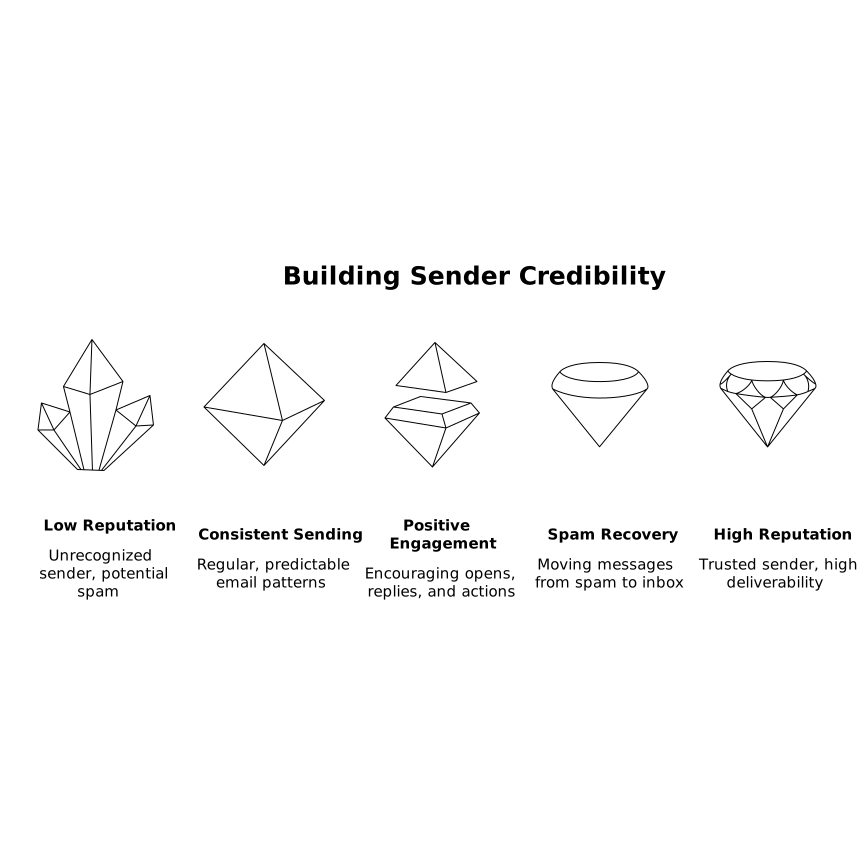
These signals work because they map to the provider’s core objective: keeping unwanted mail away from users. When users engage positively, the system learns that the sender’s traffic is safe to deliver.
How to warm up without creating new deliverability issues
Start with a predictable ramp, not a target number
Warmup works best when it looks boring: small volumes, consistent daily activity, and gentle increases. A smooth ramp is easier for providers to trust than an aggressive push that triggers anomaly detection. The right ramp speed depends on your domain history, mailbox provider mix, and whether you’re using a dedicated IP.
Mix providers and avoid “single-inbox monoculture”
If all warmup engagement comes from one provider or one narrow pattern, it can look synthetic. A realistic mix across Gmail, Outlook/Microsoft 365, Yahoo, and custom SMTP environments helps your sender profile resemble normal business communication.
Keep your real sending clean while warming up
Warmup can’t compensate for bad list practices. While you ramp reputation, make sure production sends are conservative: verified addresses, clear segmentation, and avoidance of long-inactive contacts. If you’re launching outbound, start with the most engaged prospects or recent leads first.
Watch the right metrics
DMARC reports are useful, but reputation recovery shows up elsewhere: inbox placement, spam rate by provider, reply rate, bounce rate, and complaint signals (where available). For teams building repeatable ops, it’s worth treating warmup like an operational system—an approach similar to building reliable feedback loops in planning and execution, as described in this weekly planning ritual.
Where a platform like mailwarm fits
Doing warmup manually is time-consuming and inconsistent, and inconsistency is the enemy of trust. A dedicated warmup and deliverability platform can automate the routine behaviors that build reputation—while keeping the sending pattern stable day after day.
mailwarm is designed specifically for this “authenticated but untrusted” gap: it generates positive engagement signals such as opens, replies, and inbox interactions using a large network of real inboxes. Because those interactions are the same types of behaviors providers already treat as trust indicators, warmup becomes a practical way to move from “passes checks” to “earns placement.”
For teams sending at scale, the strategic advantage is reliability. When warmup is continuous, you’re not only fixing spam placement after it happens—you’re reducing the chance of reputation decay in the first place, particularly when volumes fluctuate due to launches, hiring pushes, or new outbound motions.
A practical checklist for the DMARC-pass-but-spam scenario
- Confirm alignment: DMARC pass is necessary, but verify SPF/DKIM alignment and no accidental forwarding breaks.
- Stabilize cadence: reduce spikes; send consistently for 2–4 weeks rather than in bursts.
- Prioritize engagement: target recent leads, warm contacts, and conversations likely to get replies.
- Remove risk from lists: suppress bounces, role accounts, and long-inactive recipients.
- Warm up systematically: build volume gradually and generate authentic inbox actions, including spam recovery when needed.
- Monitor by provider: what works in Gmail may differ from Outlook; track placement separately.
DMARC passing means you’ve proven identity. Inbox placement requires something harder: trust. Warmup is how you earn it—one consistent, engaged interaction at a time.
Vertical Video