Why “consent prompt” needs a standard
Recording consent is deceptively tricky in modern teams. Zoom, Google Meet, and Microsoft Teams each provide different signals to participants—some visual, some audible, some dependent on account settings. Add third-party notetakers and workplace compliance requirements, and you get a recurring problem: people assume “the platform handled it,” but later you can’t prove who was notified, when, or what they agreed to.
A practical consent prompt standard does three things without slowing the call: (1) it notifies everyone clearly and early, (2) it captures an explicit or well-documented implicit consent event, and (3) it produces an audit trail you can retrieve later. The goal is not legal advice—it’s operational reliability.
Define the standard as three layers
Layer 1: Platform notice (baseline)
Each platform can display “recording” indicators, but they’re not consistent across devices, dial-in scenarios, or guest experiences. Treat platform notice as the baseline layer you expect to exist, not the only layer you rely on. This is especially important when your workflow includes a notetaker bot, cloud recording, live transcription, or both.
Layer 2: Human-readable prompt (fast, repeatable)
Your prompt should be a single sentence that is stable across calls. Avoid improvisation; consistency reduces friction and avoids accidentally omitting key information. A reliable template:
- “Quick note: I’m recording and using an AI notetaker to produce a transcript and summary. Is everyone okay with that?”
Two operational details make this work:
- Say it within the first 20–30 seconds—before sensitive details start.
- Pause for a beat. Silence is data; if someone objects, they need space to speak up.
Layer 3: Machine-captured consent event (auditable)
The highest-leverage improvement is to treat consent like an event you can log. Your standard should define a minimal record you can store regardless of platform:
- Meeting identifiers: calendar event ID (if available), meeting URL, platform, meeting start timestamp (UTC).
- Participants: display name + email (or “guest/unknown”), join time, and whether they stayed after the prompt.
- Consent status: affirmative, declined, not asked, disconnected before prompt, unknown.
- Evidence pointer: timestamped transcript line containing the prompt + response, or a system message if applicable.
- Data scope: recording, transcript, AI summary, clips/highlights (if used), retention period.
This turns “we always ask” into “we can show the exact consent trail for this meeting.” If you’re already designing how long transcripts should be stored, align this with your broader retention choices (see designing a meeting transcript retention policy).
How to run the prompt without slowing the call
Use a two-step flow: ask once, then confirm by exception
Long round-robins (“Can you consent?” person by person) don’t scale. Instead, use a default acceptance model with an explicit opportunity to object:
- Prompt: one sentence, spoken.
- Exception handling: “If anyone isn’t comfortable, say so now or message me privately and we’ll pause recording.”
This is faster, but still respectful. For higher-risk meetings (legal, medical, HR), you may choose an explicit “yes” from each attendee—your standard can define a “high-sensitivity mode” that changes the capture requirement.
Make late-join consent automatic
Late joiners often miss the prompt. Your standard should include an automatic re-prompt rule:
- When a new participant joins after the initial prompt, the host (or notetaker) posts a one-line reminder in chat: “Recording + AI notes are on; tell me if you want it off.”
If you want it even tighter, repeat the spoken prompt after a natural break (“Before we move on…”). The key is that the rule is deterministic: late join triggers re-notification.
Handle objections with a predictable “consent fallback”
Teams get stuck when someone objects because there’s no plan. Define your fallback options:
- Stop recording and continue with manual notes.
- Pause for a segment, then resume when the sensitive portion ends.
- Offer an alternate channel (phone call not recorded, follow-up email summary without transcript, etc.).
Whatever you choose, record the decision as a consent event (“Recording paused at 14:03 UTC due to objection from participant X”).
Platform-specific practicalities you should plan around
Zoom
Zoom meetings can involve local recording, cloud recording, and third-party bots. Your standard should assume that participants may join from desktop, mobile, or dial-in, and may not interpret the indicators the same way. The safe pattern is: spoken prompt + chat reminder + consent log entry tied to the meeting and the time the prompt occurred.
Google Meet
Meet often has more guests and external participants, especially in sales and recruiting. That makes identity resolution harder. The standard should explicitly allow “guest/unknown” entries in your consent log while still capturing the notification timestamp and whether the person remained after the prompt. If your organization requires named consent, define the rule: “Guests must rename themselves to proceed with recording.”
Microsoft Teams
Teams meetings can mix internal identities, federation, and external guests. As with Meet, your standard should separate (1) identity as reported by the platform from (2) your internal system of record. Don’t let a perfect directory mapping block the meeting; log what you can, then reconcile after.
Auditing and proof without creating privacy debt
Consent evidence should be easy to retrieve but not stored forever by default. A clean approach is to keep a small “consent ledger” longer than you keep the full transcript. Your ledger can store:
- the prompt timestamp,
- a short excerpt reference (not the full text),
- participant consent states,
- and a pointer to where the transcript/recording lived while it existed.
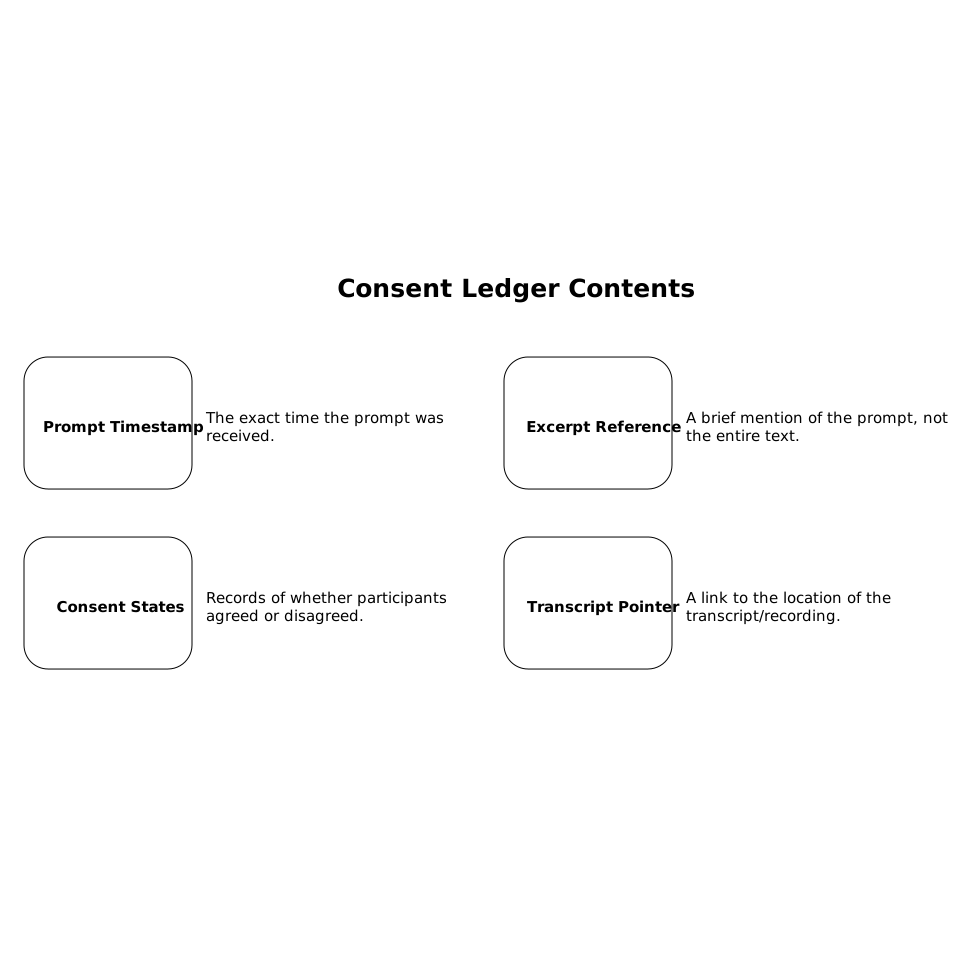
This design supports audits while reducing unnecessary retention of sensitive content.
From an engineering perspective, treat consent capture like any other reliability-sensitive workflow: the same event might be sent twice (retries), or arrive late. Build the log to be idempotent (a “prompt event” with a stable unique key per meeting) so you don’t create conflicting audit entries. The same mindset that powers reliable event handling in product systems applies here (see reliable event-driven no-code frontends).
Where an AI notetaker fits into the standard
When you use a dedicated meeting notetaker, the “machine-captured consent event” becomes much easier because the transcript and timestamps are already structured. A tool like Fathom is designed to work across Zoom, Google Meet, and Microsoft Teams while producing transcripts, summaries, and action items immediately after the meeting. That makes it practical to attach consent evidence to a specific time in the meeting record, and to apply consistent retention and sharing controls across teams.
The important point for a consent standard is not the feature list—it’s consistency: one prompt template, one capture model, one audit record shape, regardless of which platform the call happened on.
A minimal consent prompt checklist you can operationalize
- Before the call: calendar description includes “Recording/AI notes may be used.”
- Start of call: spoken one-sentence prompt + brief pause.
- Chat: one-line reminder posted once, and again for late joiners.
- Logging: consent event stored with timestamp, participant list, and consent outcomes.
- Fallback: defined steps for objections (pause/stop/alternate channel).
- Retention: ledger outlives transcript; transcript has a policy.