Start with a clear compliance model, not a feature list
A compliant AI meeting archive isn’t “just transcripts in a folder.” It’s a governed system that can prove who had access, what was retained, when it was deleted, and how quickly it can be retrieved for audits, investigations, or customer requests. The practical way to design it is to map your obligations to three control planes:
- Retention and deletion (how long you keep recordings, transcripts, summaries, clips, and derived metadata)
- Identity and access (SSO, SCIM, roles, and least privilege across users, teams, and shared content)
- Discovery and search (fast retrieval while respecting permissions, legal holds, and sensitive data boundaries)
Tools like Fathom are often adopted first for meeting capture and summaries, but the compliant “archive” comes from the policies and integrations you put around that content—especially once teams rely on global search, shared folders, and organization-wide visibility.
Build a retention playbook that covers every artifact
1) Define record categories and retention clocks
AI meeting systems generate multiple artifacts: raw audio/video (if stored), transcripts, highlights/clips, playlists, summaries, action items, comments, and keyword alerts. Treat them as distinct record categories. In many organizations, the transcript may be a business record even when the video is not retained long-term, and the summary may be treated as a derivative note. Your policy should specify:
- Retention period per artifact type (e.g., transcript 12 months, recording 30 days, highlights 90 days)
- Trigger (meeting end time, deal close date, employee termination date, or project completion)
- Scope (company-wide defaults vs. team-by-team exceptions)
2) Make deletion defensible and automated
Manual deletion is hard to prove and easy to miss. A defensible program is automated, consistent, and logged. At minimum, design for:
- Configurable retention policies that apply automatically to newly created content
- Immutable audit logs of retention changes, exports, and deletions
- Grace periods for accidental deletion recovery (where appropriate) while still meeting policy
In practice, retention policies should also account for content copied downstream—summaries posted to Slack channels, action items synced to Asana, or notes written into Salesforce/HubSpot fields. Retention in the meeting system doesn’t automatically control the lifecycle of content once it’s replicated elsewhere, so document those downstream systems as “secondary repositories.”
3) Add legal hold and eDiscovery-friendly controls
If your organization is subject to litigation risk or regulated investigations, you need a method to preserve relevant meetings beyond standard retention. Even if the product doesn’t label it “legal hold,” your design should cover:
- Preservation of specific meetings, users, or keywords for a defined case window
- Export workflows that preserve context (timestamps, speaker attribution, attendees, meeting links)
- Chain-of-custody documentation for exported artifacts
Use SSO and SCIM as the backbone of access control
1) Treat identity as the source of truth
Archives fail compliance reviews when identity is fragmented: users sign up with personal emails, teams are unmanaged, and departures don’t remove access quickly. SSO centralizes authentication while SCIM automates provisioning and deprovisioning. A practical baseline looks like:
- SSO enforced for all users on the corporate domain
- SCIM provisioning to create accounts and assign teams/groups automatically
- SCIM deprovisioning to remove access immediately on termination
This is where “meeting notes” become a real system of record: every meeting artifact must be tied to an organizational identity that can be governed. Fathom’s business capabilities include SSO and SCIM, which supports this model without relying on ad hoc invitations and manual offboarding.
2) Model roles around real workflows
Meeting archives typically need more nuance than “admin” and “user.” You’ll usually want to separate:
- Org admins (policy, retention, integrations, audit access)
- Team managers (team folders, coaching views, shared libraries)
- Standard users (their meetings, sharing controls)
- Read-only/auditor roles (limited discovery access, no editing)
Design the minimum permissions each role needs, then enforce least privilege. For example, coaching metrics and AI scorecards may be appropriate for enablement leads, while access to all transcripts may not be.
3) Control sharing and external exposure
Even if authentication is strong, uncontrolled sharing can undermine everything. A compliant design includes:
- Default private access for new meetings unless explicitly shared
- Domain restrictions on sharing (internal-only by default)
- Expiration for shared links where feasible
- Visibility settings for folders, playlists, and highlight clips
Make transcripts searchable without making them leaky
1) Permission-aware global search is non-negotiable
Search is where meeting archives become operational: teams rely on global search to recall decisions, track commitments, and find customer details fast. The risk is that search can inadvertently expose sensitive content if indexing isn’t permission-aware. Your requirements should explicitly state:
- Search results must honor access control (no snippet leakage from restricted meetings)
- Indexing must update quickly after permission changes or deprovisioning
- Auditability for searches and exports in sensitive environments
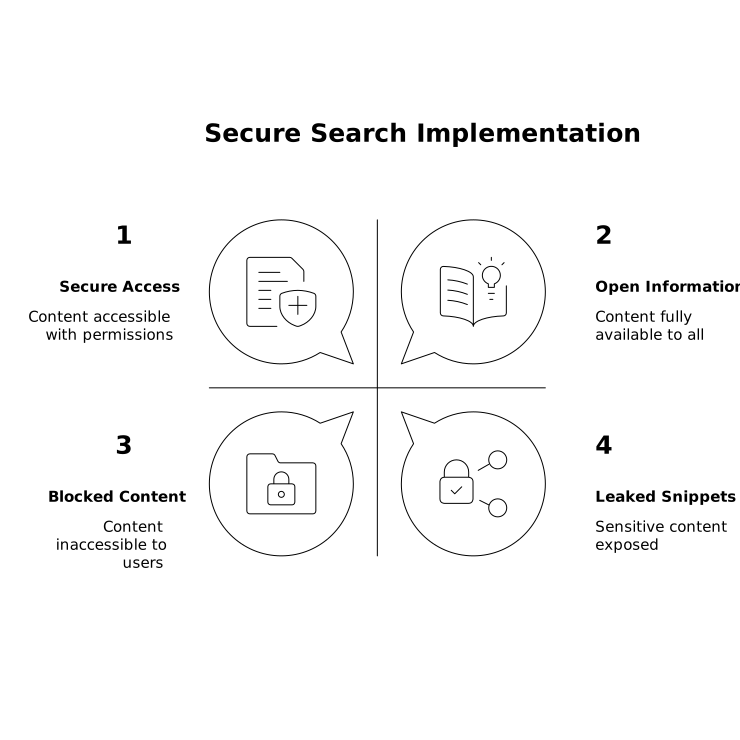
For teams using features like keyword alerts and “Ask” style querying over past conversations, permission-aware retrieval becomes even more important: the system must only answer questions using meetings the user is allowed to access.
2) Handle sensitive data with guardrails, not guesswork
Meeting transcripts can include health information, customer financial details, credentials spoken aloud, or internal HR topics. Rather than hoping users “remember not to say it,” design layered safeguards:
- Meeting classification (e.g., Sales, Customer Support, HR, Legal) with different default sharing and retention
- Custom vocabularies to improve accuracy on product terms and names, reducing the risk of misinterpretation
- Policy around redaction for known sensitive fields (where required by your environment)
If you operate under HIPAA or similar requirements, include a review of whether transcripts and recordings are in scope, and how access is restricted to minimum necessary users.
Operationalize compliance with an implementation checklist
1) Draft a one-page “meeting archive standard”
Keep it short enough that teams follow it. Include: what gets recorded, who can record, default retention, where summaries are synced (Slack/CRM/project tools), and how to request exceptions.
2) Configure identity first, then roll out teams
Enforce SSO, enable SCIM, and define groups mapped to departments or regions. Only then expand usage to shared folders and organization-wide search, so governance is baked in from day one.
3) Validate with tabletop scenarios
Run quick drills:
- An employee leaves—how fast is access removed, and what happens to their meetings?
- Legal requests transcripts for a date range—can you export with context and logs?
- A sensitive meeting was mistakenly shared—can you revoke access and confirm it?
4) Document integrations and data flow
Integrations are where compliance often breaks down. List every sync target (Slack, Salesforce, HubSpot, Asana, Notion, Zapier automations, API usage) and define what data is written, by whom, and how it’s retained there. This is also a practical moment to decide which systems should receive the full transcript versus only an executive summary and action items.
What “good” looks like in a compliant AI meeting archive
A well-designed archive gives teams the benefits—searchable transcripts, fast summaries, shared visibility—without turning meetings into an unmanaged data lake. The most reliable programs combine configurable retention, SSO/SCIM-driven access control, and permission-aware search. When those foundations are in place, tools such as Fathom can function as a durable meeting memory for the organization while staying aligned with audit and privacy expectations.